
Some guiding light in Drupal to WordPress Migration

There are plenty of reasons to choose Drupal over any other CMS for your website like highly flexible customizations, security, robustness, scalability, to name a few. Nonetheless, it can require more effort and time in setting up and customizing your Drupal website as compared to the out-of-the-box blogging abilities WordPress has to offer.
Drupal to WordPress – What you need to remember before you migrate
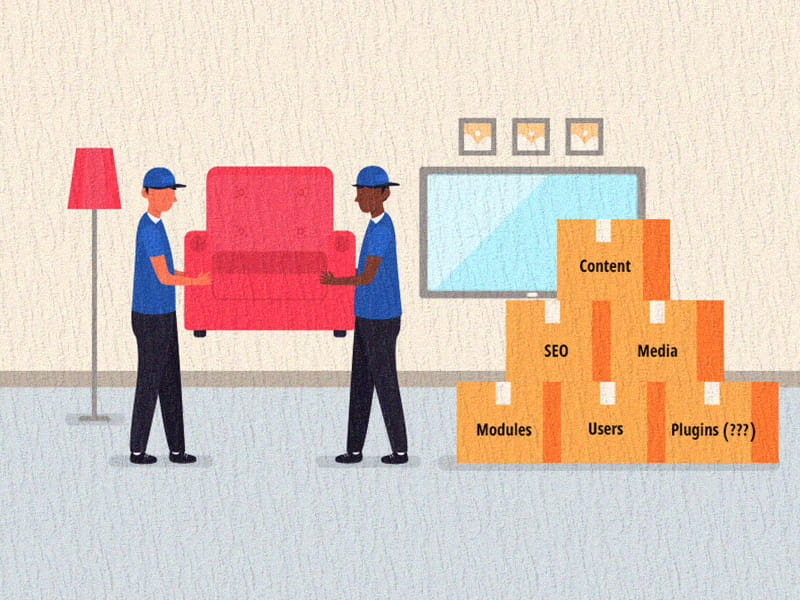
Before you start looking out for tools and services available for Drupal to WordPress migration, you need to get ready and try to foresee the problems you might face during migration. Research, research and plenty of research is key. As the great saying goes “Once bitten Twice shy”, let’s all learn from the mistakes of others and make the best move.
Always..we mean ALWAYS backup your website before you migrate. It may just take a few clicks to back-up your Drupal Website but will save you from tons of time and effort if an unforeseen error occurs.
The experts always say that it is best you first migrate your content and then construct your WordPress website around it as there is lesser risk of over-writing your work that way.
Keeping your followers/users informed about the migration and the site being under maintenance would be less frustrating to them.
Just because your domain name remains unchanged, that doesn’t mean there’s a guarantee that your SEO ranking remains the same. Since different CMS have diverse ways of structuring URLs, you may run into a lot of Page Errors which can in-turn harm your SEO ranking.
Assuming that your WordPress website will look and feel exactly the same as your Drupal website would be expecting too much. Accept that fact and you will be able to concentrate more on how to bring a fresh change to your website without compromising on its functionality and usability.
Plug-ins and Tools available for Drupal to WordPress migration
There are a lot of plug-ins and services available for your website migration – many free and few with a fee. Mentioned below are a few tools and tricks you can use for your website migration:
CMS2CMS is a CMS migration plug-in that will help you automatically migrate all of your data from Drupal to WordPress without you worrying about the code. And all this in just 15 minutes!
FG Drupal to WordPress is a plug-in that migrates pages, articles, categories, images, tags from Drupal to WordPress. They have been tested with Drupal 6, 7 & 8 and WordPress 4.7. They have a free version for smaller websites but charge a fee for their premium version.
You will also find a lot of PHP based migration plug-ins on GitHub. These scripts support the migration of Content, Categories, Taxonomies, Comments on Content and Users.
If you have a sound technical knowledge and skills about Drupal and WordPress database schemas, you can do it yourself too. There are a bunch of kind developers who have shared some of their work online along with a cautionary message to Use at your Own Risk. They have shared a series of SQL scripts that you can run on your MySQL database to move all your content from Drupal to WordPress.
CMS migration should be a very well thought about decision to make and more so since we are talking about migrating from Drupal to any other CMS. Here’s hoping this article has helped you gain some more awareness about CMS migration and make the right move. Specbee offers you the best Drupal development services that might make you re-think over migrating from Drupal ever!
Last updated on October 1, 2026
About the author
Shefali Shetty
Meet Shefali Shetty, Director of Marketing at Specbee. An enthusiast for Drupal, she enjoys exploring and writing about the powerhouse. While not working or actively contributing back to the Drupal project, you can find her watching YouTube videos trying to learn to play the Ukulele.

WordPress to Drupal Migration - When, Why & How (with a real case study)
When should you move from WordPress to Drupal? Learn the signs, the process, and what it looks like in a real migration case.
10 min read

What happens after a CMS Migration? A guide to post-migration Drupal Support
Curious about what makes a CMS migration successful? No, it isn’t limited to the transition. Read this blog to learn about ongoing support post-migration.
7 min read


CMS Integrations: All the questions you’ve been wanting to ask
Marketers feel the pain of inefficient CMS integrations more than anyone. Agree? We’ve answered some of the most popular questions about CMS integrations and even given you the clarity you need to get your systems talking. Check it out!
9 min read