
Build and publish pages with Drupal Canvas AI without waiting on developers

If you aren't sure what Drupal Canvas AI is yet, let me explain it simply. Canvas AI is the "AI mode" within Drupal Canvas. What is Drupal Canvas, you ask? It's the default editing experience that officially shipped with Drupal CMS 2.0 (January 2026).
So, basically, you can just type "Build me a landing page" and it creates a full, structured landing page for you. You can ask it to "Use the testimonial component and add three customer quotes." or "Generate alt text for the images on this page" and it will just do it for you.
Unbelievable? Not in the Drupal world, my friend. Drupal has been ready for AI long before you were ready for AI 😎
This article looks at Drupal Canvas AI from the content team's perspective. We will cover what it does, where standalone AI builders fall short, and how to judge the fit for your workflow.
Key Takeaways
- Drupal Canvas AI lets content teams build and publish pages from a prompt, without waiting on developers.
- AI site builders like Lovable generate fast, but they skip governance, brand control, and content reuse.
- Canvas pairs prompt-based speed with Drupal's CMS layer, so output stays accessible, brand-compliant, and reusable across the site.
- A shared brand fact base and human-in-the-loop review keep AI output on-message.
- The biggest gains show up in fewer publishing bottlenecks, beyond faster first drafts.
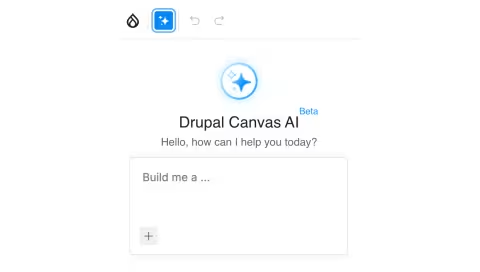
What does Drupal Canvas AI do for content teams?
Canvas is a drag-and-drop visual builder with live preview, built into Drupal. It has an AI mode. As I mentioned previously, you can prompt it to do a lot of stuff you would actually perform manually, like:
- Generate a full page from one prompt. Type "build a product launch page with a hero, three feature cards, and a contact form," and Canvas AI assembles it from your existing components.
- Reuse approved components on command. Say "place a hero" or "use the testimonial component," and it drops your own blocks onto the page, so the result matches the rest of the site.
- Write alt text automatically. On image upload, Canvas AI generates multilingual alt text with human review, clearing one of the most common accessibility gaps for content teams.
- Audit your site against your brand. Ask it to "find all pages that violate my brand guidelines"* and governance becomes a single query instead of a manual review.
- Set up content structure by chat. The admin chatbot creates content types, taxonomy terms, and fields from a plain request, so a marketer can shape a Case Study type without filing a ticket.
Users can install complete professional sites in under three minutes using pre-built templates and optional AI tools. Dries Buytaert, Drupal founder and project lead, calls Canvas the biggest evolution in the platform's 25-year history.
So for a content lead, the headline is simpler. You stop filing tickets for routine page changes. The build happens where you work.
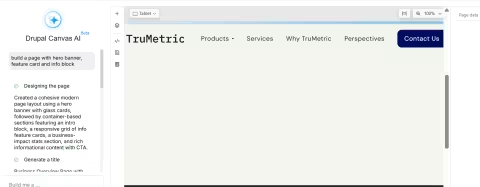
The prompt
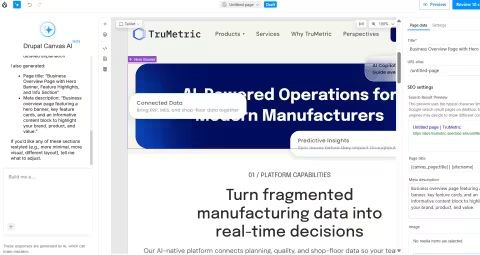
The result
Why do AI site builders fall short for content teams?
Standalone AI builders generate raw output for a single moment. They are strong at the first draft and weak at everything after it.
The cracks show once real work starts. Brafton's 2026 AI marketing survey asked 132 marketers using AI about their top content quality concerns. The most common answer, from 87 of them, was that the output sounds thin or generic.
There is a deeper finding worth sitting with. Brafton found the harder problem is getting content to publication quality quickly. Generating it fast is the easy part.
The speed demos skip that part. Speed to a first draft is cheap now. Speed to a governed, on-brand, publishable page is the actual job.
The reuse problem
A prompt-generated page is a dead end by default. Change your brand colors, and you re-prompt every page. Update a product detail, and you hunt for every place it appears.
Drupal Canvas takes a different route. You build components once and reuse them across pages, headers, footers, and content templates. The design system carries the change for you.
How does Drupal Canvas keep AI output on-brand and governed?
Governed AI output is the difference between a tool you trust at scale and one you babysit.
Drupal founder Dries Buytaert splits a CMS into two planes: an execution plane and a control plane. The execution plane creates and assembles content. The control plane governs it: who can edit, what gets approved, which version is canonical, and where content is allowed to go.
Canvas assembles pages from your approved components and content types, so the AI works from blocks you already trust. That reuse is what keeps output accessible and brand-compliant, rather than raw HTML you have to police.
The brand layer is the Context Control Center. You define brand voice, audiences, key messages, product details, and editorial guidelines in one place. Every AI agent on the site then draws from that single source of truth.
It works as a check, too. You can ask Drupal to find every page that breaks your brand guidelines, so governance becomes a query you run instead of an audit you schedule.
This way, the payoff for a content team is direct. A marketer moves at AI speed on creation while the CMS holds the line on approval, version, and brand.
Where does Drupal Canvas fit in a content team's daily workflow?
The pain content teams feel is rarely the writing. It is the wait.
Just over half of marketers name inefficient content creation and reviews as their biggest content operations challenge, per Forrester's State of B2B Content Survey, 2024. Content gets finished, then sits while it waits for a developer or a free CMS slot.
Canvas removes that wait by handing editors named tools for the jobs they repeat every day. Here is where each one fits.
Building a page
You build pages by dragging components onto a live preview and editing them inline. You stay on one screen, instead of switching between admin forms and a separate preview window.
The components come from the Mercury library, which ships with cards, heroes, testimonials, menus, and accordions. A marketer assembles a landing page from these blocks, the way they would build a slide deck.
Content templates use the same editor. You map your CMS fields to components visually, so every article or product page renders the same way without a developer touching a template file.
Drafting content and setup
Canvas has an AI chatbot, marked by a sparkle icon in the editor. You can describe a page in plain language, and it builds a structured layout from components you already have. Words like "place" or "use" tell it to pull in your existing blocks, which keeps the result consistent with the rest of the site.
The admin chatbot handles the setup work that editors usually file tickets for. It creates content types, defines taxonomy terms, and adds fields from a plain request. A half-day of configuration becomes a short conversation, with a human confirming each step.
Clearing repetitive chores
Missing alt text is one of the most common accessibility failures on enterprise sites. Canvas generates suggested alt text on image upload, with multilingual output and human review. For a team publishing dozens of images a week, that clears a recurring manual chore.
Recipes turn repeat setup into a single step. For example, you can use the Mailchimp recipe to authenticate, pull your audiences, and create a signup form block that you can drop straight onto a Canvas page. Google Analytics and Google Tag Manager connect the same way, with a prompt for credentials in place of a developer ticket.
Keeping control
Canvas permissions separate editing from publishing. A junior creator drafts in Canvas while a senior reviewer holds publish rights and ships the page.
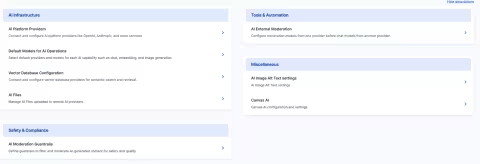
The AI Dashboard gives one screen to see which AI features are on and which providers are connected. Canvas supports OpenAI, Anthropic, Google Gemini, amazee.ai, and self-hosted models, so a team with data residency rules can route requests through its own systems.
How much faster can content teams move with Drupal Canvas AI?
The average marketer spends about five hours a week on content creation and approvals, according to MindStudio's 2026 analysis of AI marketing agents. That same analysis reports teams using AI agents see 73% faster campaign development and 68% shorter content creation timelines.
Adoption is moving with the math. CMSWire's State of Digital Customer Experience 2025 report found that organizations reporting extensive AI use nearly tripled year over year, from 11% to 32%.
Budgets are tight while expectations climb. CMSWire's 2025 State of the CMO survey ranks lack of budget at 32%, among the top roadblocks to advancing customer experience, behind only ROI measurement.
Drupal Canvas answers that by removing developer dependency from routine work, which is where content teams lose hours.
What should content teams evaluate before adopting Drupal Canvas AI?
Start with reuse and governance, not speed.
Ask the questions a standalone builder handles poorly.
- Does the tool reuse your components, or regenerate everything each time?
- Does AI output respect your brand rules automatically?
- Can a non-developer publish, with the right review step in place?
Then ask about the durability questions. Translation support, content reuse across pages, and editing your CMS content inside the same interface are all on the Canvas roadmap. Those capabilities decide whether a tool scales past its first ten pages.
So the question is less about how fast you get a draft and more about how much of the publishing pipeline the tool actually owns.
Final thoughts
The choice is no longer prompt-based speed or CMS governance. Drupal Canvas gives you both in one place.
The teams that gain most will treat AI as part of the publishing pipeline, not a shortcut around it. They will define their brand context once, set their review steps, and let editors build at speed inside those guardrails.
Canvas is still growing. Translation, deeper content reuse, and inline CMS editing are on the roadmap. As those land, more of the work that once needed a developer moves into the editor's hands.
Setting up that foundation well is where it pays to have a Drupal agency that has done it before. At Specbee, this is the kind of work we do every day. If you want to get your team building at AI speed without losing brand control, we can help you stand it up the right way.
For now, the practical move is small. Pick one routine workflow your team waits on, and run it through Canvas. The hours you win back will tell you how far to take it.
Frequently Asked Questions
Is Drupal Canvas AI good for marketers who can't code?
Yes. Canvas is a drag-and-drop visual builder with live preview, and the Drupal Association says no Drupal knowledge is required to use it. Marketers prompt the AI to build a landing page, edit visually, and publish. The interface borrows familiar patterns from tools like PowerPoint, so the learning curve is short.
How is Drupal Canvas different from AI site builders like Lovable?
The core difference is governance. AI site builders generate raw output for a single page, while Canvas reuses your approved components and content types so results stay accessible and brand-compliant. Canvas also sits inside a full CMS, with permissions, content modeling, and review workflows that standalone builders lack.
Does AI-generated content in Drupal Canvas stay on-brand?
It is designed to. Drupal CMS 2.0 includes a Context Control Center where you upload brand guidelines, personas, and product docs, so generated content uses your voice and tone. You can also ask Drupal to flag every page that breaks your brand rules, turning a manual audit into a single query.
Can content teams publish without a developer in Drupal Canvas?
Yes, for most routine work. Canvas permissions separate editing from publishing, so a content creator can draft while a senior reviewer approves and ships. This removes the common bottleneck where finished content waits weeks for developer help or a free CMS slot.
How much faster do content teams work with AI in their CMS?
Teams using AI agents report 73% faster campaign development and 68% shorter content creation timelines, per MindStudio's 2026 analysis. The bigger saving is removing developer dependency from routine page edits, which is where the average marketer loses hours each week.
Does Drupal Canvas make silent changes to my live site?
No. Canvas queues AI-generated updates for human review rather than changing production directly. A marketer sees which pages a context change affected, reviews them, and approves before anything publishes. Human-in-the-loop is a stated core value of the approach.
What should I evaluate before choosing an AI page builder for my content team?
Start with reuse and governance. Ask whether the tool reuses your components or regenerates each page, whether AI output respects brand rules automatically, and whether a non-developer can publish with a review step. Then check for translation support and content modeling, which decide whether the tool scales.
Last updated on September 29, 2026
About the author
Shefali Shetty
Meet Shefali Shetty, Director of Marketing at Specbee. An enthusiast for Drupal, she enjoys exploring and writing about the powerhouse. While not working or actively contributing back to the Drupal project, you can find her watching YouTube videos trying to learn to play the Ukulele.

AI Webform Generator: How to build Drupal Webforms from a single sentence
Tired of adding Webform fields one by one? AI Webform Generator builds Drupal forms from a single sentence and checks every AI output first.
12 min read

16 Drupal AI modules that can make your website smarter
We rounded up 16 Drupal AI modules and sorted them for you. Deploy now, pilot on staging, or just keep an eye on it. Check it out!
17 min read

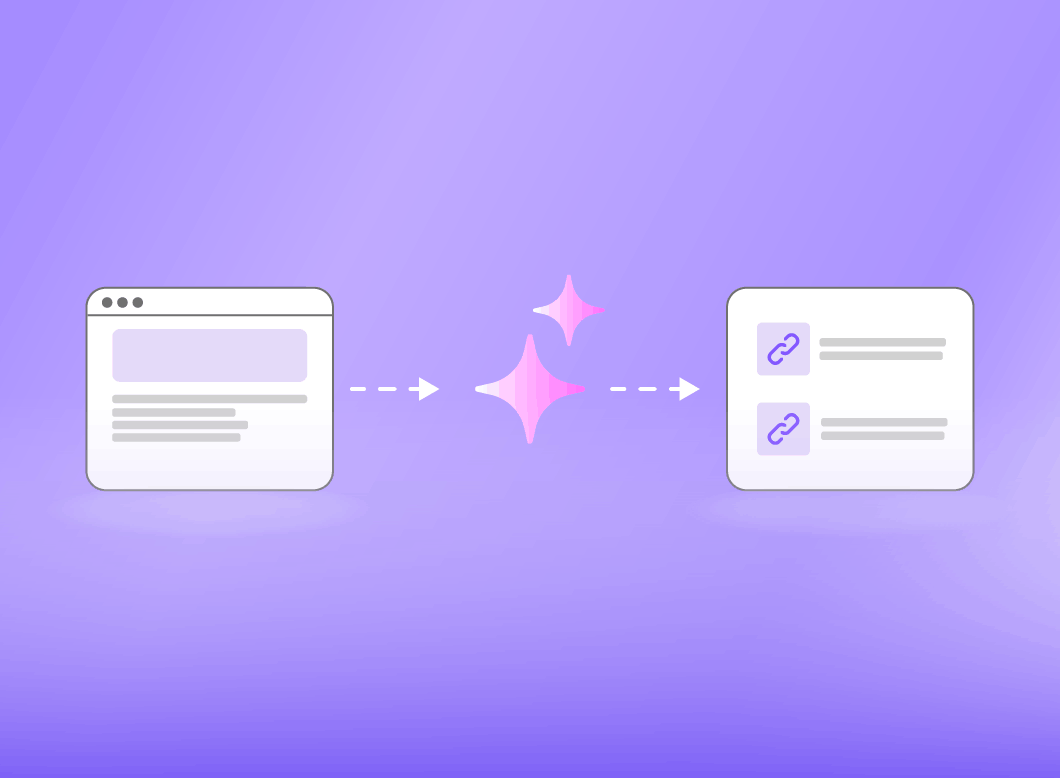
How to use AI for Drupal SEO: Internal Linking explained
AI-powered internal linking in Drupal uses vector search and LLMs to surface relevant links as you write. Read this blog to learn how it works and which modules to use.
12 min read