
Zero-effort Schema Markup: AI Schema Markup generator for Drupal

Structured data, specifically Schema.org JSON-LD, tells search engines exactly what your content is about. An article, an event, a product, a person. With it, you become eligible for rich results: star ratings, event dates, price info, and more displayed directly in search.
The catch? Writing it correctly is complex. Schema.org has dozens of types, hundreds of properties, and the rules differ by content type. For a Drupal site with hundreds or thousands of nodes, manually maintaining this is simply not feasible.
The AI Schema Markup Generator module solves this entirely. It reads your node's field data, sends it to OpenAI, and generates valid, structured data that is automatically injected into the page head. In this blog, I shall walk you through how the all-new AI Schema Markup Generator employs AI to write your Schema.org JSON-LD automatically, accurately, and on every save.
Key Features at a Glance
| Feature | Description |
| Auto On-Save Generation | Sends node field data to OpenAI on save and stores the generated JSON-LD schema directly on the node. |
| AI Schema Type Detection | Automatically determines the most appropriate Schema.org @type - Article, Event, Product, Person, and more. |
| AI Schema Validation | Validates the generated schema via AI. If invalid, it requests a corrected version automatically. |
| Bulk Schema Generation | Admin batch interface for generating and validating schema across large numbers of existing nodes. |
| Multilingual Support | Bulk schema generation supports language filtering for multilingual Drupal sites. |
| Per-Node Opt-In | A Schema JSON checkbox appears in the node edit form — editors can enable or disable per node. |
| Auto JSON-LD Injection | Generated schema is embedded into the HTML head as a script tag automatically. |
| Customisable Prompts | Admins can configure the prompts used for both schema generation and validation. |
| Field Exclusion List | Exclude specific fields from being sent to the AI prompt. |
| CSV Export | Bulk generation results can be exported as a CSV report. |
| Drupal Logging | All API calls, successes, failures, and validation events are logged in Drupal watchdog. |
The AI automatically determines the correct Schema.org @type based on content — no manual type selection needed. And if the generated schema fails validation, the module automatically requests and stores a corrected version.
Typical Use Cases
This module is a practical fit for a wide range of Drupal sites:
- News or blog sites generating Article or NewsArticle schema automatically on publish
- Event websites using Event structured data to appear in Google's event-rich results
- E-commerce sites using the Product schema to surface pricing and availability in search
- Any Drupal site where maintaining Schema.org markup manually is difficult to sustain
How to get started
1. Run database updates
After installing the module, run 'drush updb'. This creates two fields on nodes: field_schema_json and field_schema_json_checkbox.
2. Configure the module
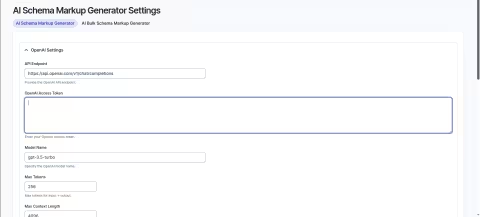
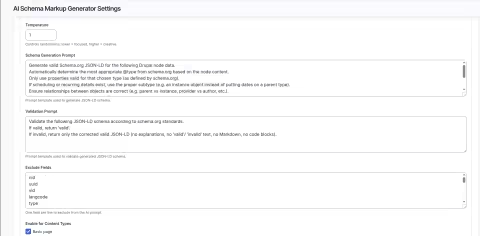
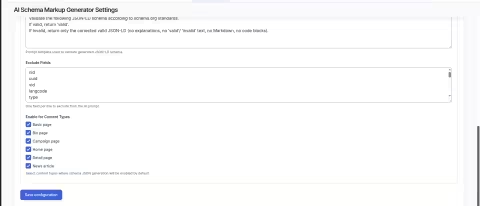
Go to Administration > Configuration > AI Schema Markup Generator (/admin/config/ai-schema-markup-generator/settings). Set your OpenAI API key, model, token limits, prompts, excluded fields, and default content types.
3. Enable schema on a node
Edit any node and expand the Schema JSON section in the Advanced sidebar. Enable the checkbox and save. Schema is generated and validated automatically.
4. View the generated schema
Visit the node page and inspect the HTML source. Look for the script tag in the head:
<script type="application/ld+json"> { "@context": "https://schema.org", "@type": "Article", ... }</script>5. Bulk generate for existing content
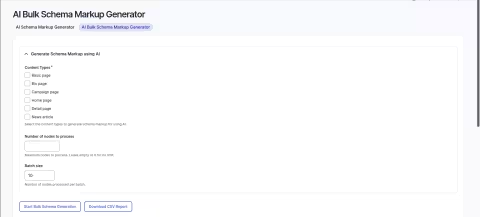
Go to /admin/config/ai-schema-markup-generator/bulk. Select content types, choose a language, set a node limit and batch size, then start the process.
Requirements & Recommended modules
| Dependency | Version / Notes |
| Drupal | 9, 10, or 11 |
| PHP | >= 8.1 |
| OpenAI API Key | Required for AI-powered generation |
| Node / Field / File | Drupal core modules (required) |
| Metatag | Recommended — manage HTML meta tags alongside schema |
| Simple XML Sitemap | Recommended — improves content discoverability |
| Key module | Recommended — securely store your OpenAI API key |
Useful resources
When working with structured data, these tools are invaluable for testing and validation:
- Schema.org Validator - validate your generated markup against the Schema.org spec
- Google Rich Results Test - check eligibility for rich results in Google Search
- Google Structured Data Documentation - reference for all supported schema types
- OpenAI Platform - manage your API key and monitor usage
Final thoughts
Schema.org structured data is one of the most impactful but consistently neglected aspects of Drupal SEO. The AI Schema Markup Generator removes the barrier entirely, no schema expertise needed, no manual markup, and no maintenance overhead as your content grows.
With AI handling type detection, generation, and validation, your team can focus on content while the module ensures search engines always have the structured context they need.
Developed and maintained by Specbee, report issues, submit patches, or share it with the Drupal community to help it grow.
Last updated on July 31, 2026
About the author
Yogesh Sevak
Meet Yogesh Sevak, Senior Drupal Developer at Specbee. Yogesh is a travel enthusiast and loves to explore new places. One of his favorite travel destinations is Vrindavan. And when he’s not busy writing code, he likes to go on long drives and embrace the wind.

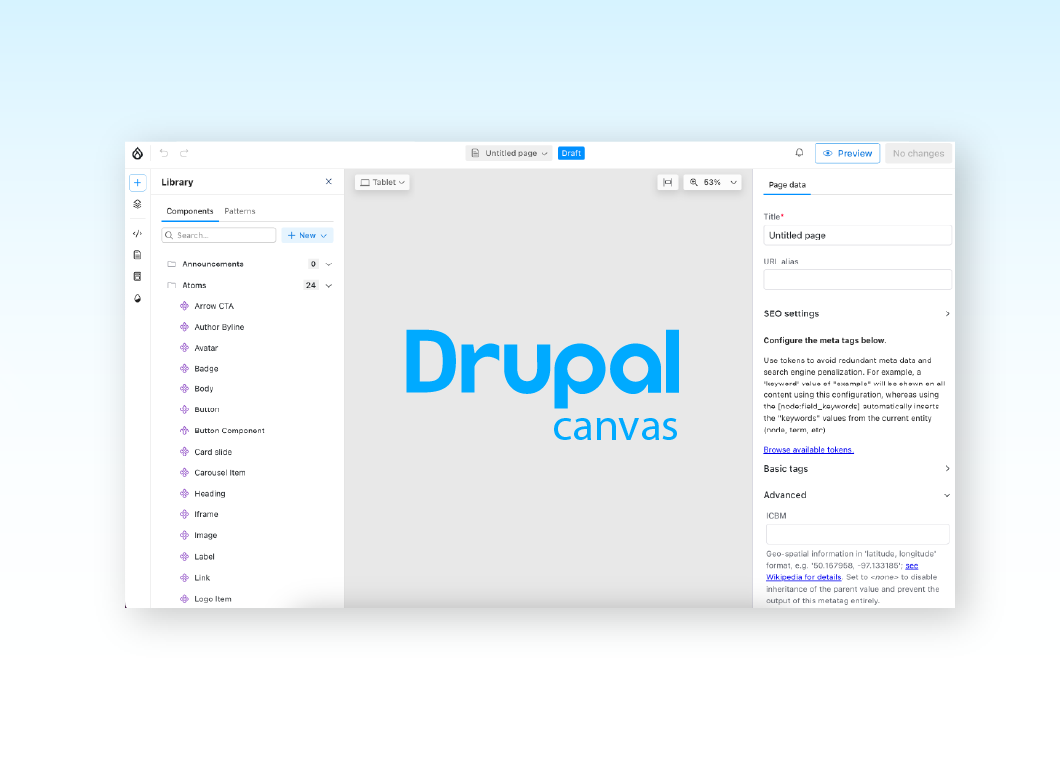
Getting started with Drupal Canvas: A frontend developer's first look
Wondering why Drupal needs another page builder? Here's what I learned installing Drupal Canvas, exposing my SDCs, and writing React right in the browser.
12 min read


Canvas Page Metatag Module: How to restore full SEO controls to Drupal Canvas pages
Drupal Canvas hides most Metatag fields behind one SEO title box. Check out how Canvas Page Metatag restores them and fixes a Robots checkbox bug.
11 min read


Specbee is now a Drupal AI Initiative Partner. What does it mean for your platform?
Specbee has joined the Drupal AI Initiative as a Certified Partner. See what Drupal AI initiative is about, how it's governed, and what it means for your enterprise site.
5 min read